How people agree to Quorasen texts
Last updated October 30, 2026
This page shows exactly how people agree to receive text messages from Quorasen: the screens, the wording beside each checkbox, and the texts that follow. Nobody receives a text until they have agreed. The full program is on theText Message Program page; see also the Privacy Policy and theTerms of Service.
Quorasen test and account texts
A building manager signs in at app.quorasen.com and opensAccount, then Test texts to my phone.
1. The form
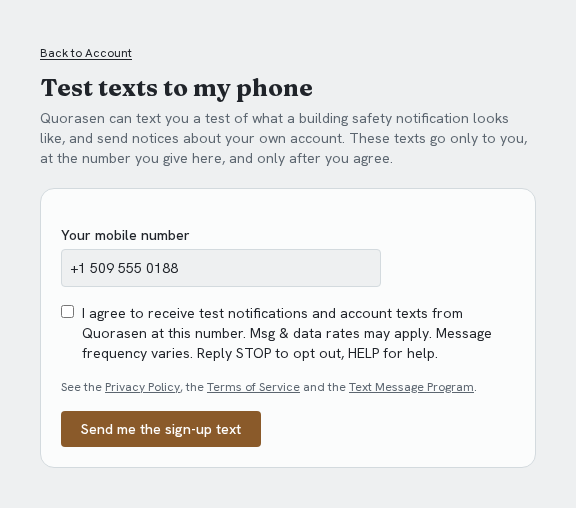
They enter their own mobile number. The box is not ticked until they tick it. Message frequency, "Msg & data rates may apply", how to stop and how to get help, and links to the Privacy Policy, Terms and this program are beside it.
2. After they submit
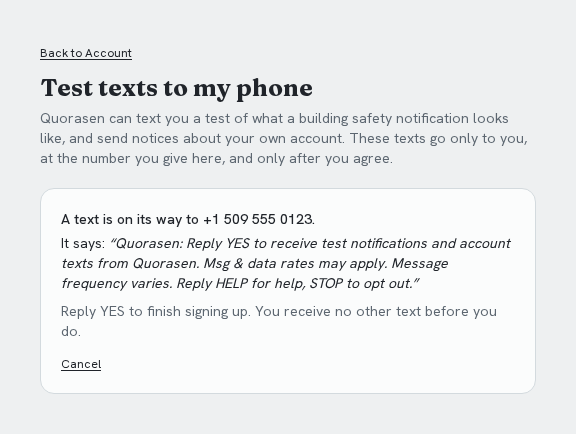
One text is sent to that number asking them to reply YES. The page says so, shows the wording of the text, and says no other text is sent before they reply.
3. The texts
Quorasen: Quorasen: Reply YES to receive test notifications and account texts from Quorasen. Msg & data rates may apply. Message frequency varies. Reply HELP for help, STOP to opt out.
Person: YES
Quorasen: Quorasen: You are signed up for test notifications and account texts from Quorasen. Msg & data rates may apply. Message frequency varies. Reply HELP for help, STOP to opt out.
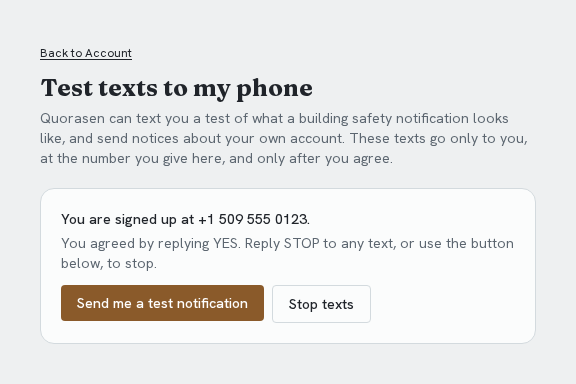
Once signed up, the person can ask for a test notification, or stop at any time from the same page or by replying STOP. Replying STOP gets: "Quorasen: You are unsubscribed and will receive no more texts from us. Reply YES to sign up again."
Building safety notifications and check-ins
Nobody on a building's roster is texted until a building Administrator turns texting on. That takes a paid subscription, a confirmed sender, and the Administrator's confirmation of the whole roster, including numbers added earlier or by other managers, and later ones. The confirmation is recorded with the time, the exact wording and the size of the roster, and the building's other managers are told. While texting is off, people can be added to the roster and nobody is texted.
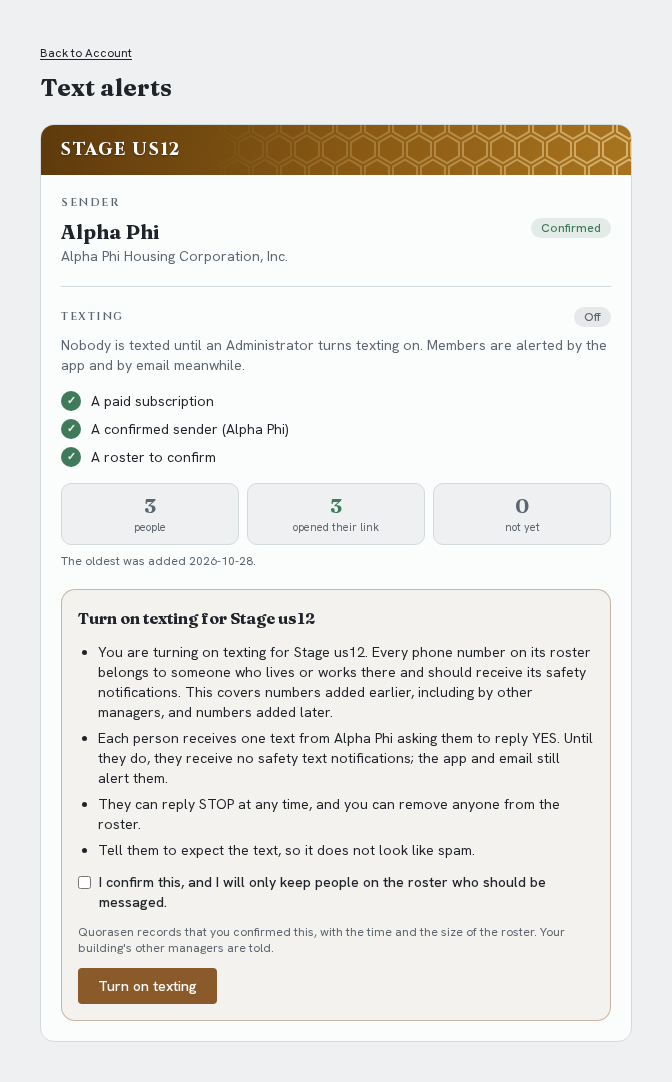
Each person on the roster then receives one text from their building's registered sender asking them to reply YES, and receives no safety text notifications until they do (the app and email still alert them). They can reply STOP at any time.